Watch: departments and inviting users
A one-minute walkthrough of creating departments and inviting a user. You can also watch it on YouTube. For the full invitation process, see Inviting and managing users.
What a department is
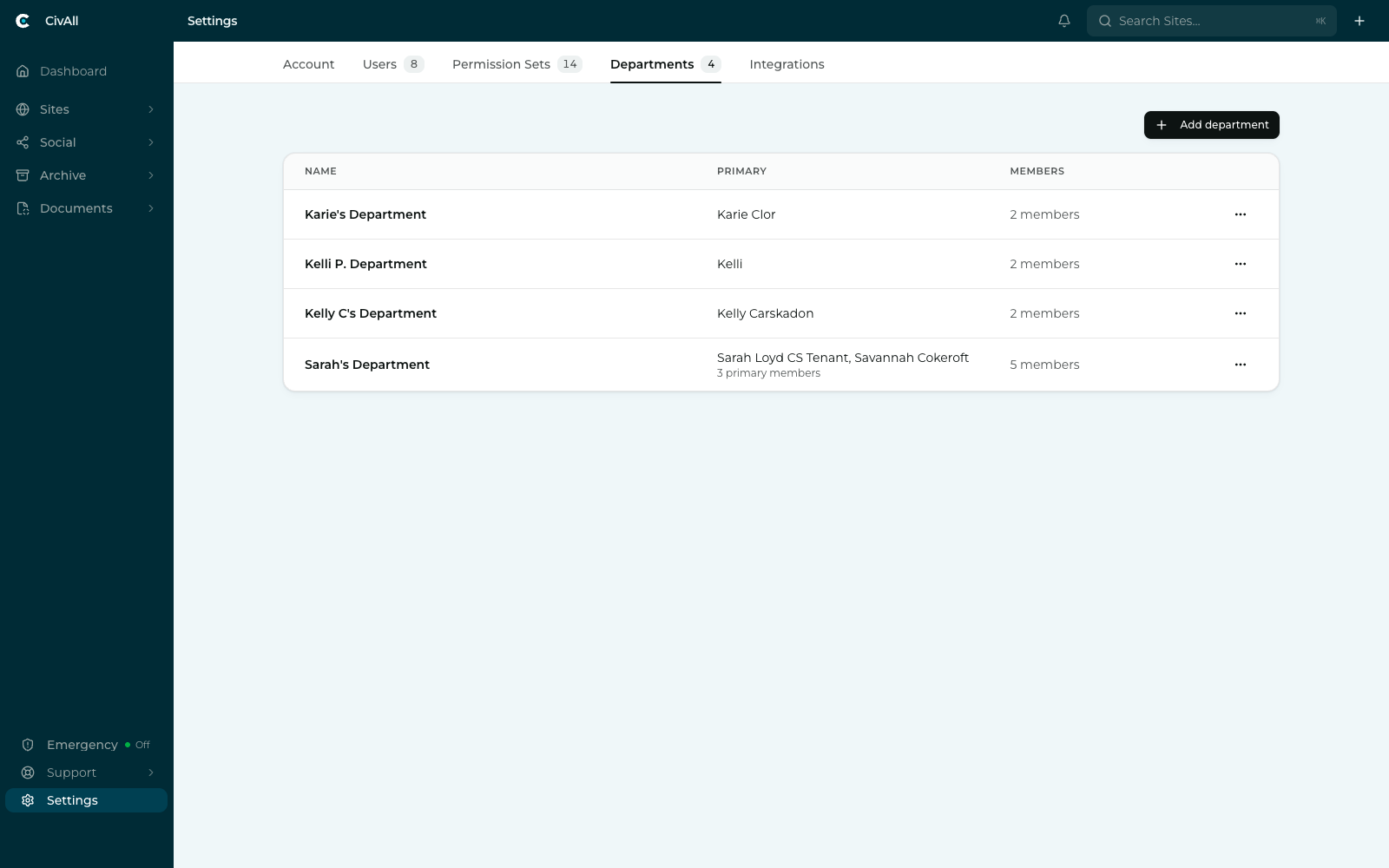
A department is a group of people. In the current release the list is flat — departments sit side by side, with no nesting. A person can belong to several.
Tip
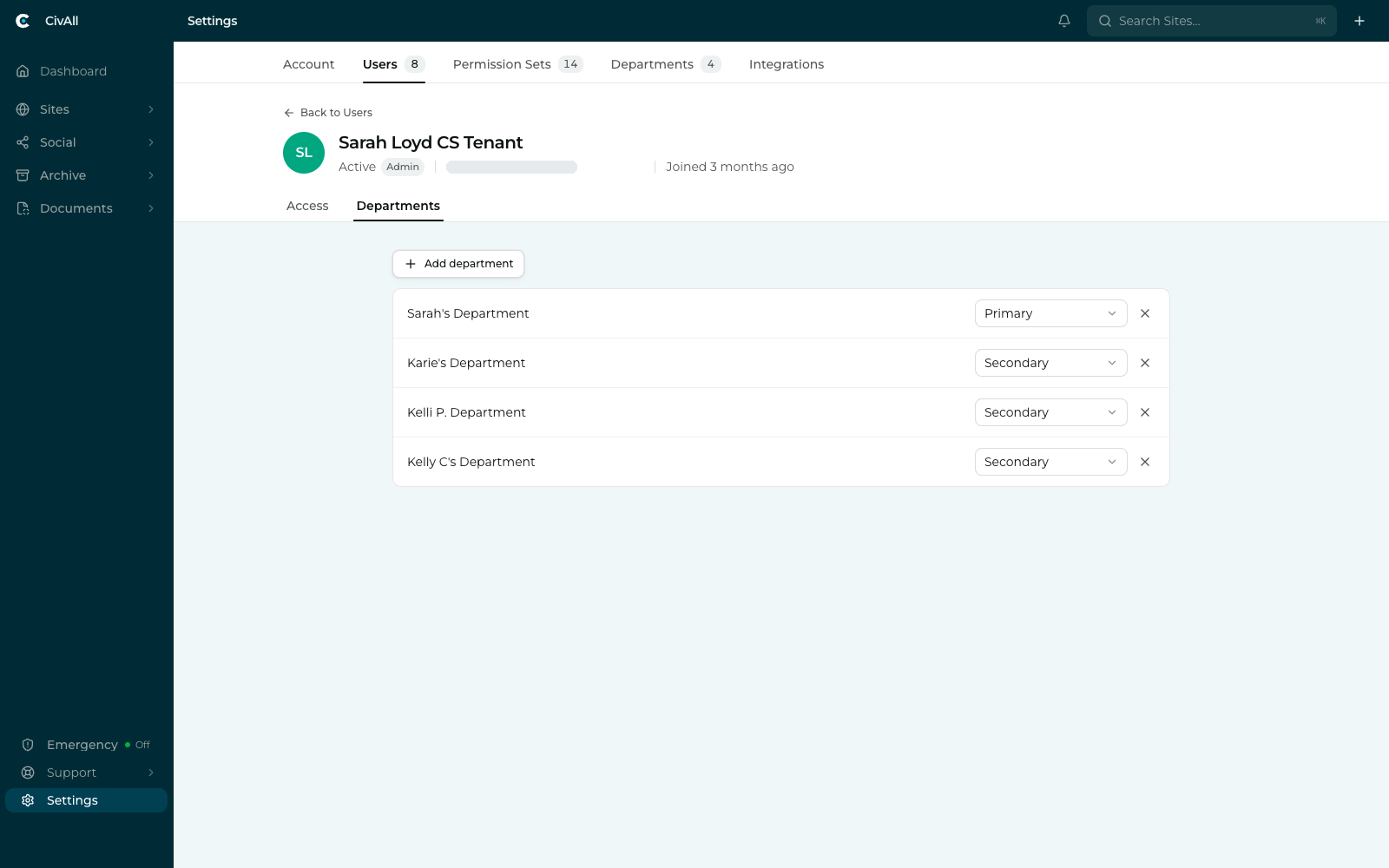
Each member is either Primary or Secondary in a department. Primary marks the people who own that department’s work — a department can have more than one — while Secondary covers everyone who also works in it. Open a user’s Departments tab to set this.
How CivAll Social uses them
This is where departments become concrete for social. Every connected social account is assigned to one or more departments when it’s connected. A permission scoped to Own department then resolves to exactly the accounts sitting in the departments that person belongs to.
Warning
Department membership by itself grants no access. It only defines what “own department” resolves to. All actual access comes from the user’s permission set for that product. So working a CivAll Social account takes both:
- A CivAll Social permission scoped to Own department (or All departments), and
- Membership of a department that contains the account.
A user whose set grants composing, publishing, and replying at Own department, assigned to Parks & Recreation, can work the Parks accounts. Add them to Public Works as well and those same permissions extend to its accounts automatically — no per-account grants to maintain.
Note
The same departments serve every product. Adding someone to Public Works shapes what “own department” means for them in CivAll Sites and CivAll Archive too, each according to its own permission set. One grouping, reused everywhere — which is why departments live in platform Settings rather than inside CivAll Social.
Accounts with no department
A social account that hasn’t been placed in a department lands in an Unassigned bucket. Only users whose relevant permission is scoped to All departments can see it; anyone on Own department won’t see it at all. Assign it and normal resolution takes over.
Tip
If a teammate can’t see an account they should, check three things in order: does their permission set grant it at all, is the account assigned to a department, and are they a member of that department?
Managing departments
Create departments with Add department on the Departments tab, and add people either from the department itself or from a user’s Departments tab. Managing departments is an administrator action, since they affect every product. Changing which departments a social account belongs to is a CivAll Social action and needs the manage-accounts permission.