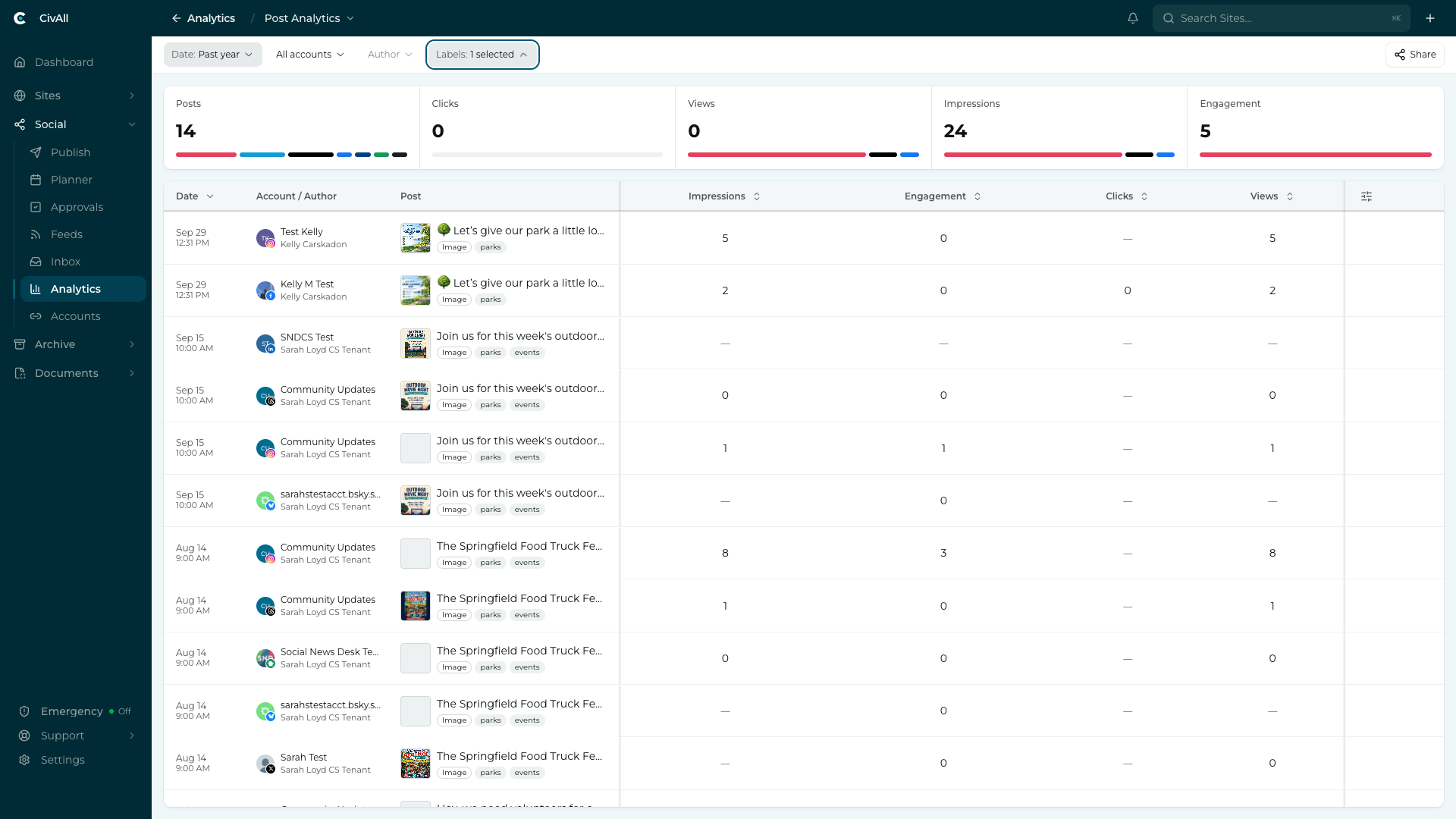
The controls
Across the top: the reporting period, the accounts included, and a Labels filter. An Author filter is shown but isn’t available yet. Underneath, a row of summary tiles — Posts, Clicks, Views, Impressions, Engagement — each showing its change against the prior period.
Watch: Post Analytics
A short walkthrough of the Post Analytics report. You can also watch it on YouTube.
The columns
| Group | Columns |
|---|---|
| General (always present) | Date, Account / Author, and Post — the post shows a thumbnail, its opening text, and a content-type chip (Image, Reel, Carousel). Default sort is by date, newest first. |
| Summary (cross-network) | Impressions, Engagement, Clicks, Views — comparable across all networks. These four are the default columns. |
| Added (network-specific) | Metrics that belong to one network, e.g. Facebook Reactions/Shares/Reach, Instagram Saves, YouTube Views. Only that network’s rows carry a value; other rows are blank. |
Tip
Some networks don’t report every summary metric, so a column may be blank for those platforms (for example, several networks don’t report Clicks). Blank means “not reported,” not zero.
Sorting
Date and every metric column are sortable — Summary and added network-specific columns alike. Account / Author and Post are not.
- Click a header to sort by it; click again to flip the direction. The active column shows a caret.
- Sorting is numeric (100 above 20), not alphabetical.
- Sorting a network-specific metric groups that network’s posts at the top, ordered by the metric, with other networks dropping to the bottom as a block. Toggling ascending/descending reorders within that network’s block — the network stays grouped on top either way.
- Blank cells stay blank — sorting never fills other networks with fake zeros.
Your sort choice is saved with the view, so reopening or sharing it keeps the same order. If you remove the column you were sorting by, the table falls back to Date, newest first. There’s one active sort at a time (no secondary sort).